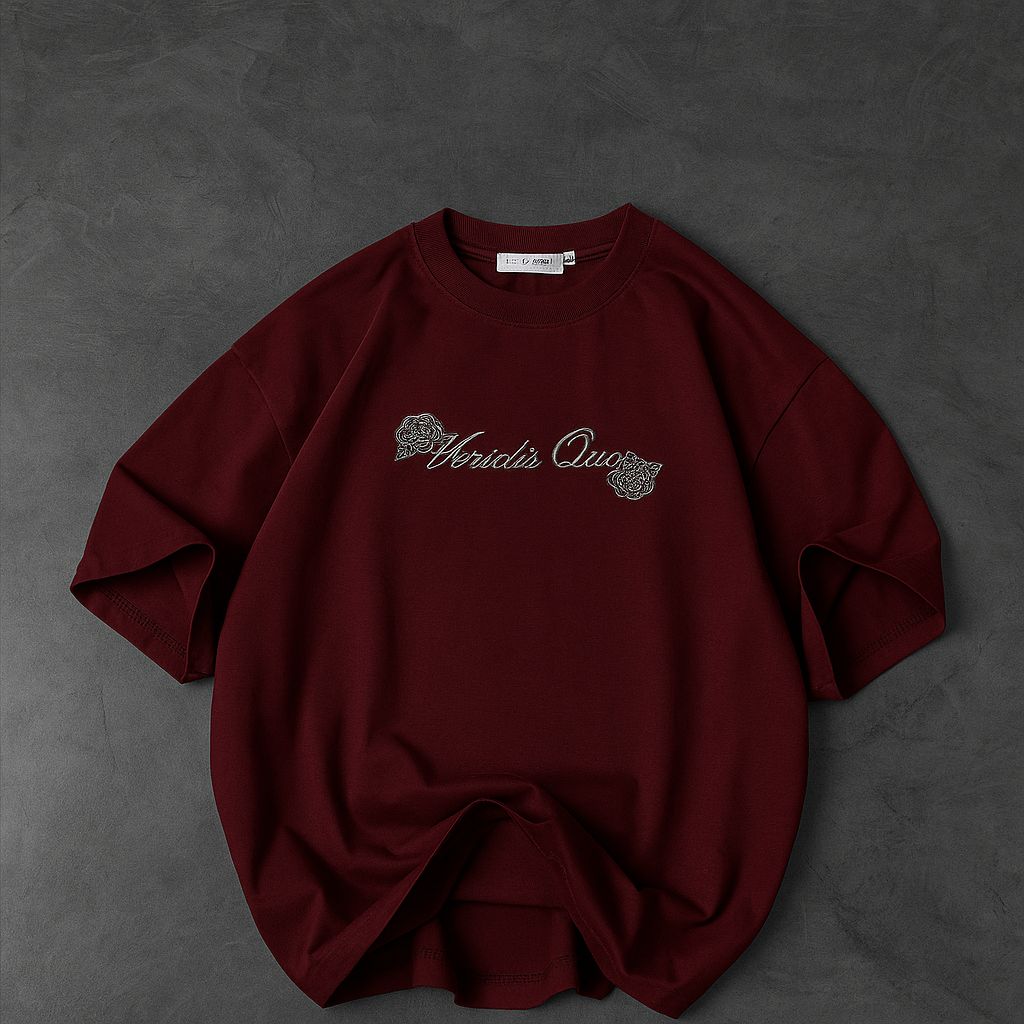


The Apparel Creative System
From finished design— to —decision.
For small apparel brands, POD sellers, and beginner clothing entrepreneurs who already have — or can create — a finished design. Turn finished apparel artwork into accurate mockups, believable creatives, production-checked files, and smarter testing decisions — without guessing your way through every step.
Secure payment · Access the eBook immediately after successful payment.

Section 01
Your design is ready.
Everything after that is where things get messy.
You already have the artwork. The mess is everything after it: accurate placement, believable mockups, controlled creatives, production checks, and knowing what to test next.
AI mangles your design or text the moment you place it on a shirt.
Mockups come out pasted-on, warped, haloed, or off-centre.
Lifestyle shots are technically fine but still scream "AI-generated."
You need many creatives from one design — with no repeatable way to make them.
Back prints are genuinely hard to present so the art reads clearly.
It looks great on screen, but you're unsure it will actually print correctly.
Ads are running, but you can't tell what the numbers are actually saying.
New AI tools appear constantly and you don't know if they fit your workflow.
Section 02
One repeatable workflow —
not a pile of prompts.
Instead of jumping between random AI tools and one-off prompts, you follow a single path from finished artwork to a tested decision. Each stage has a job, a check, and a next step.
The whole kit in one loop: exact design → believable shot → legible product → controlled set → tested decision. Start with one asset, then repeat.
Section 03
What you'll be able to do.
Practical, repeatable moves — not theory. Every one is a job the system walks you through.
Preserve finished artwork at the highest fidelity your tools allow.
Know when AI editing is safe, and when to switch to a manual composite.
Diagnose common mockup failures and apply the fastest real fix.
Make apparel images more photographically believable, on purpose.
Turn one product and design into a controlled set of creatives.
Tell Explore creatives apart from Test creatives — and use each correctly.
Check and prepare artwork for production before it ever gets printed.
Present back-print products so the art is visible and commercial.
Work out your break-even and target acquisition economics.
Locate where an ad funnel may be breaking — click to landing to checkout.
Judge whether a new AI image tool is suitable for your placement route.
Receive artwork from a freelance designer through a proper handoff gate.
Section 04
A look inside. Not the whole playbook.
Selected samples are shown so you can judge the quality, structure, and visual teaching style before you buy. The complete routes, checklists, worksheets, formulas, decision logic, and case-study figures stay inside the paid PDF.


Preview principle: enough to judge the quality — not enough to replace the book.
Section 05
Five core frameworks, one loop.
Place your finished artwork on a garment so it stays your artwork. Choose an AI edit route or a manual composite, and verify fidelity before you move on.
Diagnose the specific "AI tells" in an image and push only the controls that remove them — coherently — so a technically-fine shot stops looking generated.
Turn one design into a controlled set of creatives. Explore directions first, then isolate one variable at a time so your tests actually mean something.
When a mockup comes out wrong, diagnose the real defect, apply the fastest fix, and know when to stop patching and re-composite instead.
Decide what to test, how much to spend, what the numbers mean, and what to do next — read against your own margins, never generic "winning" numbers.
A diagnostic to jump to your problem, and a first-hour path to one brand-quality asset.
Present a back print so the art is visible, correctly placed, and commercially useful.
The printability gate — about the file, kept separate from how the mockup looks.
Practical IP, licensing, and honest-marketing guardrails. Not legal advice — verify your own situation.
Section 06
Built like an operator manual.
A few of the components that make this a system you run, not a document you skim.
Route B vs Route C decision
Know when an AI edit is fast and safe, and when only a manual composite will hold fine text, logos, and brand colour.
Your First 60 Minutes
A concrete first-hour path from one product and one design file to a single, brand-quality asset.
The AI-tells catalog
A diagnosis-first catalog of the specific tells that make images read as AI — each with the one control that fixes it.
The Core 6 & Explore vs Test
A minimum viable creative set, and the discipline that separates finding directions from isolating a variable.
Defect catalog & fallback ladder
Match the symptom, find the cause, apply the fix — and escalate correctly when a fix doesn't hold.
The printability gate
A file-level checklist and a "looks good on screen, fails in print" trap list, deferring to your provider's spec.
Designer Handoff Checklist
A gate for brand owners receiving artwork from a freelancer — confirmed before any production begins.
Route B Tool Qualification Test
A compact test to run any new AI image tool through before you trust it for exact placement.
Placed-vs-delivered COD economics
Why platform CPA on a placed order isn't your delivered margin — and how to compare them honestly.
Ads Manager Bridge & decision tree
Read click → landing → cart → checkout → purchase to locate the break, then continue, iterate, pause, or kill.
Section 07
A real campaign. Shown with the receipts.
The book closes with a documented apparel campaign from the author's own operating history. The paid case study shows the actual funnel, placed-vs-delivered COD economics, what the data did and did not prove, and the decision rule the author would use now.

What the paid case study reveals
- The full funnel — spend → traffic → cart → purchase → attributed value.
- Placed-vs-delivered COD economics — why a placed order is not money kept.
- The exact campaign figures and redacted first-party source evidence.
- What the data genuinely showed, what it did not prove, and what should have happened next.
This is a teaching example about decision discipline — not a success story and not an income claim.
SOURCE EVIDENCE · AUTHOR'S ACTUAL BACKEND
The paid PDF includes redacted first-party screenshots from Meta Ads Manager, Shopify, and fulfilment records that substantiate the figures discussed in the case study.
Section 08
Not another "100 AI prompts" PDF.
A prompt hands you a phrase and wishes you luck. A system tells you what went wrong, which route to use, how to verify it, and what to do when the first attempt fails.
- A list of prompts
- Paste and hope
- No idea why it broke
- No fallback, no next step
- Diagnose what actually went wrong
- Pick the right workflow
- Verify the result against a QA gate
- Fall back cleanly when a route fails
- Decide what to test next
Section 09
Made for operators, not spectators.
For you if
- You run — or are starting — an apparel or POD brand.
- You already have, or can create, finished clothing designs.
- You use, or want to use, AI for product creatives.
- You need better mockups without building a photo studio.
- You want a repeatable creative-production system.
- You want a clearer way to test creatives.
Not for you if
- You expect the kit to design the clothes for you.
- You want guaranteed sales, ROAS, or profit.
- You want a shortcut that needs no execution.
- You only want a giant list of prompts.
Section 10
You'll know exactly where to start.
The book opens with a guided first-hour path from one finished design to one usable asset. The exact timings, route choices, QA checkpoints, and fallback sequence stay inside the paid PDF.
The sales page shows the destination. The paid manual gives you the exact route, timings, checks, and fallbacks.
- 76-page digital system, PDF format
- Five core frameworks: ExactPrint, RealShot, Creative Multiplier, Mockup Rescue, Ad Testing Matrix
- Start Here orientation & the First 60 Minutes path
- Back-Print Playbook, DTF / Production Truth, Legal & Safe-Use
- Route B Tool Qualification Test & Designer Handoff Checklist
- Ads Manager Bridge, CPA worksheet & decision tree
Secure payment. Access the eBook immediately after successful payment.
Section 11
Straight answers.
Is this just a prompt pack?
No. It's a diagnostic-and-workflow system: you identify what went wrong, choose the right route, verify the result against a QA gate, fall back cleanly when a route fails, and decide what to test next. Prompts appear only as tools inside that workflow — never as the product itself.
Do I need paid AI tools?
The system is tool-agnostic. It maps capabilities to jobs rather than pushing specific paid tools, and much of the placement work can be done with free tools. Some AI editors have paid tiers, but the kit treats every tool as a starting point and shows you how to qualify a new one for your workflow.
Do I need Photoshop?
No. The manual-composite route uses Photopea — free, browser-based, no install — and the walkthrough is built around it. Photoshop is optional if you already own it.
Is this only for print-on-demand?
It's built for small apparel brands, POD sellers, and beginner clothing entrepreneurs — anyone who already has, or can create, a finished apparel design. The workflow applies whether or not you fulfil through POD.
Can this guarantee better ad results?
No — and the kit is explicit about that. It provides methods to reduce uncertainty; it does not promise sales, ROAS, or profit. The Ad Testing Matrix helps you read your funnel and decide against your own economics — outcomes still depend on your product, offer, price, audience, and execution.
What if the AI tool I use changes?
Expected. AI tools and platform policies change fast, so the kit treats capabilities as a starting map and gives you a Route B Tool Qualification Test — a compact check to run any new tool through before you rely on it for exact placement.
Is this useful if I use DTF printing?
Yes. There's a dedicated DTF / Production Truth section — a print-ready file checklist, a "looks good on screen, fails in print" trap list, and a print-method chooser. Every number defers to your own provider's current spec.
Do I need to be experienced with AI?
No. Start Here gives you a diagnostic to jump to your exact problem, and the First 60 Minutes path walks you to a first usable asset step by step. You bring a finished design; the system supplies the workflow.
How do I receive the eBook?
It's a digital PDF. After successful payment, the download is made available through the store's digital-delivery flow and confirmation email.
You already have the design.
Now build the system around it.
Preserve the artwork, control the image, multiply deliberately, verify production, then make testing decisions against your own economics — through one repeatable workflow.
Secure payment · Access the eBook immediately after successful payment.